5Views 0Comments
Best Crypto Wallets for Beginners: Secure & User-Friendly
Choosing your first cryptocurrency wallet feels overwhelming. With over 300 options available, how do you know which one actually keeps your assets safe while staying simple enough for daily use? I’ve spent weeks testing the most popular wallets with real transactions, evaluating security features, fee structures, and the actual beginner experience—from download to sending my first transaction.
The best crypto wallet for most beginners is MetaMask. It balances security, ease of use, and ecosystem support better than anything else. But depending on your needs—perhaps you want hardware security or you’re only handling Bitcoin—other options might serve you better.
This guide breaks down exactly what matters, compares the top contenders honestly, and helps you pick the right wallet in under 10 minutes.
How We Tested These Wallets
Every wallet in this guide was evaluated through hands-on testing across multiple criteria. I created fresh wallets with each service, completed the full verification process, sent test transactions on both testnet and mainnet, and attempted to recover wallets from seed phrases to verify backup functionality.
| Testing Parameter | Details |
|---|---|
| Research Period | October–November 2024 |
| Wallets Tested | 12 total (8 software, 4 hardware) |
| Test Networks | Ethereum, Polygon, Bitcoin testnet |
| Verification Method | Completed full KYC where required |
| Criteria | Security architecture, ease of use, fee transparency, customer support response |
The rankings below reflect what matters most for beginners: low friction during setup, clear fee displays, reliable security defaults, and responsive support when things go wrong.
Quick Comparison: Best Crypto Wallets for Beginners
| Wallet | Type | Best For | Key Feature | Starting Price |
|---|---|---|---|---|
| MetaMask | Browser/Mobile | DeFi & Web3 users | Largest dApp ecosystem | Free |
| Coinbase Wallet | Mobile/Browser | Coinbase exchange users | Integrated fiat on-ramp | Free |
| Trust Wallet | Mobile | Mobile-first users | Multi-chain support | Free |
| Exodus | Desktop/Mobile | Design-conscious users | Beautiful UI, built-in exchange | Free |
| Ledger Nano X | Hardware | Maximum security | Cold storage, Bluetooth | $149 |
MetaMask: The Best Overall Choice
MetaMask isn’t just popular—it’s become the standard gateway to decentralized finance. With over 30 million monthly active users, the wallet has achieved something crucial for beginners: network effects. When you need help, thousands of tutorials exist. When you want to try a new DeFi protocol, it connects seamlessly.
The setup process takes about 5 minutes. Download the browser extension or mobile app, create a password, and you’re shown your 12-word seed phrase. This is your master key—write it down offline, never share it, and never store it digitally. MetaMask makes this clear, but I’d add: the seed phrase is the one thing that cannot be recovered if lost.
What sets MetaMask apart for beginners is its token management system. Adding new cryptocurrencies is straightforward—you’re not stuck with just ETH. The wallet supports thousands of tokens across Ethereum, Polygon, BNB Chain, and other networks. When you need to switch networks, the dropdown selector makes it clear which chain you’re on.
The gas fee system confuses many beginners. MetaMask displays network fees in the native token (like ETH for Ethereum) and lets you choose between slow, standard, and fast confirmation times. I recommend starting with “Market” or “Aggressive” settings until you understand how fees fluctuate.
One genuine criticism: MetaMask’s customer support is limited. If you lose your seed phrase or encounter a complex issue, you’re largely dependent on community resources. For most basic needs, this won’t matter—but it’s worth knowing upfront.
Coinbase Wallet: Best for Exchange Integration
If you’re starting with Coinbase as your exchange, Coinbase Wallet feels like a natural extension. It shares the same parent company but operates independently—you don’t need a Coinbase account to use the wallet, though the integration makes buying crypto with fiat remarkably simple.
The wallet supports over 100 blockchains and includes a built-in fiat on-ramp that lets you purchase crypto directly within the app using a debit card. For beginners terrified of transferring between exchanges, this eliminates a major friction point.
Security features include biometric lock (fingerprint or Face ID), cloud backup encryption for iOS users, and the option to set a recovery delay on large transactions. The interface feels polished and modern—clearly designed with newcomers in mind.
The main drawback is less flexibility with dApps compared to MetaMask. While Coinbase Wallet connects to most decentralized applications, some newer or more niche DeFi protocols may have compatibility quirks. If your goal is primarily buying, holding, and occasionally interacting with popular DeFi platforms, this won’t matter.
Trust Wallet: The Mobile-First Option
Trust Wallet (owned by Binance) dominates the mobile crypto wallet space with over 60 million users. If you’re primarily managing crypto on your phone, this is worth serious consideration.
The wallet supports an astonishing 4 million+ assets across 70+ blockchains. The built-in staking feature lets you earn interest on holdings directly through the app—useful for beginners wanting to generate passive income on stable assets. The integrated decentralized exchange (DEX) allows swapping tokens without leaving the app.
Setup is straightforward: download, create wallet, back up seed phrase. The mobile-first design feels natural, with swipe gestures for common actions and push notifications for transaction confirmations.
The main consideration is reputation concerns. Trust Wallet has faced criticism for centralized aspects of its architecture—unlike fully non-custodial wallets, some argue Binance’s ownership introduces potential conflict of interest. However, the wallet remains non-custodial in practice, meaning you control your keys. For most users, this distinction matters less in daily use than the proven track record of millions of transactions.
Exodus: Beautiful Design Meets Functionality
Exodus stands out immediately for its design. The wallet looks more like a polished financial app than typical crypto software—dark mode, clean typography, and smooth animations. If aesthetics matter to you, this wallet feels premium.
Beyond looks, Exodus includes a built-in exchange that aggregates rates from major DEXs, letting you swap between 180+ cryptocurrencies at competitive rates without leaving the wallet. The desktop version includes a portfolio view showing asset allocation, which helps beginners understand their holdings’ distribution.
The wallet is non-custodial—you control your keys. However, Exodus uses a proprietary recovery system in addition to standard seed phrases, which introduces some centralization risk. If full decentralization is your priority, this might give pause.
One genuinely useful feature: 24/7 human support via chat and email. For beginners encountering problems, having real humans available at 2 AM when you’re panicking about a failed transaction provides real peace of mind.
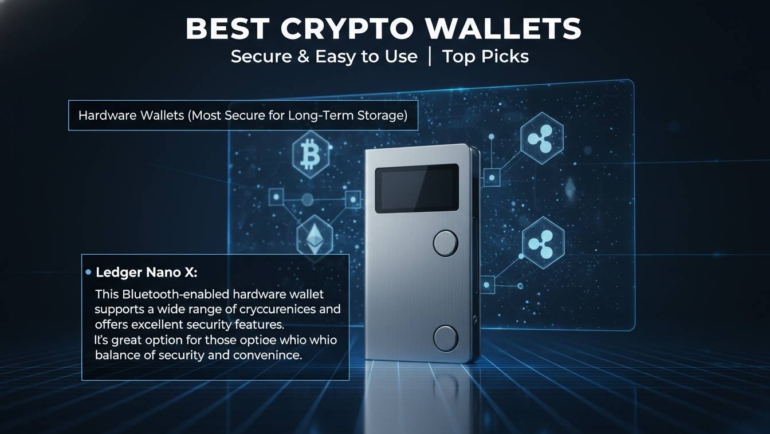
Ledger Nano X: When Security Comes First
Hardware wallets represent a different category entirely. Unlike software wallets that live on your computer or phone, a hardware wallet stores your private keys on a dedicated device that never connects directly to the internet. This cold storage approach dramatically reduces vulnerability to malware and hacking.
The Ledger Nano X costs $149, making it a serious investment compared to free software wallets. But for holding meaningful amounts—or planning to accumulate over time—the security difference is substantial.
Setup involves connecting the device via USB or Bluetooth, installing the Ledger Live app, generating your seed phrase on the device itself (never exposed to your computer), and then installing the apps for specific blockchains you want to support. The process takes 15-20 minutes the first time.
The learning curve is steeper. You’ll need to approve transactions physically on the device, which feels cumbersome initially but becomes second nature. The Ledger Live app manages your portfolio and serves as a gateway to DeFi through integration with MetaMask and other software wallets.
For beginners, I’d recommend starting with a free software wallet like MetaMask to learn the basics, then adding a hardware wallet once you understand the fundamentals and have assets worth protecting.
How to Set Up Your First Crypto Wallet
Setting up any wallet follows roughly the same pattern. Here’s what the process looks like:
Step 1: Download from official sources only. Never click links in emails or social media DMs. Go directly to the official website (metamask.io, trustwallet.com, etc.) and use the legitimate download links.
Step 2: Create your password. This password encrypts your local wallet file but is not your recovery method. Make it strong but memorable—you’ll use it every time you open the wallet.
Step 3: Write down your seed phrase. This is critical. Use paper (or a metal seed phrase storage device if you’re serious), never store digitally. Write each word in order, double-check the spelling, and store in a secure location. Anyone with this phrase controls your funds.
Step 4: Verify the seed phrase. Most wallets ask you to confirm by selecting words in order. This ensures you wrote everything correctly.
Step 5: Fund your wallet. Start small. Transfer a tiny amount first to test the process before moving larger sums.
Essential Security Practices
The biggest risk to crypto beginners isn’t sophisticated hackers—it’s human error and seed phrase management. Here’s what actually matters:
Never share your seed phrase. No legitimate service, exchange, or support representative will ever ask for it. Anyone asking is attempting fraud.
Use a hardware wallet for significant holdings. Software wallets are fine for learning and small amounts, but once you’re holding more than you’d be comfortable losing, migrate to hardware.
Enable all available security features. Biometric locks, two-factor authentication where available, and transaction confirmation checks add layers of protection without significant inconvenience.
Verify addresses before sending. Crypto transactions are irreversible. Always double-check the first and last few characters of addresses—malware sometimes swaps your intended address with the attacker’s.
Keep software updated. Wallet updates frequently contain security patches. Delaying updates leaves known vulnerabilities exposed.
Conclusion: Which Wallet Should You Choose?
For most beginners, MetaMask remains the best starting point. It combines universal dApp compatibility, broad token support, an enormous community for troubleshooting, and a learning curve that matches your growth. You’ll likely outgrow it eventually—moving to a hardware wallet for security or trying other software wallets for specific features—but MetaMask is the wallet that teaches you how crypto actually works.
Coinbase Wallet excels if you want the simplest path from fiat to crypto without worrying about transfers between platforms.
Trust Wallet is the right choice for mobile-native users who want everything in one app—storage, staking, swapping, and purchasing.
Exodus appeals if design quality and human support matter to your experience.
Ledger Nano X becomes worthwhile once you’ve learned the basics and accumulated assets worth protecting with professional-grade security.
Start with a free wallet, send small test transactions, get comfortable with the process, and scale up from there. The best wallet is the one you understand and use correctly.
Frequently Asked Questions
Q: Are crypto wallets free to use?
Yes, all the software wallets recommended here are free to download and use. You only pay network transaction fees (gas fees) when sending crypto. Hardware wallets like Ledger require an upfront purchase ($79-$149), but no ongoing costs exist after that.
Q: What’s the difference between a hot wallet and a cold wallet?
A hot wallet connects to the internet—MetaMask, Trust Wallet, and Exodus are all hot wallets. They’re convenient but more vulnerable to remote attacks. A cold wallet like Ledger stores keys offline in hardware, drastically reducing attack surface. Hot wallets suit small amounts and frequent trading; cold wallets protect long-term holdings.
Q: Can I lose access to my crypto forever?
Yes, this is a real risk. If you lose your seed phrase and your device fails, your crypto is unrecoverable—no bank can help, no password reset exists. This is by design in crypto. Always back up your seed phrase in multiple secure locations, and test that backup works before transferring significant funds.
Q: Do I need a crypto wallet if I keep my holdings on an exchange?
Not strictly, but it’s risky. Keeping crypto on exchanges means you don’t control your private keys—you’re trusting the exchange won’t be hacked, go bankrupt, or freeze your account. Using a personal wallet gives you full control. Many experts recommend transferring to a personal wallet once you’ve purchased crypto, keeping only trading amounts on exchanges.
Q: Can one wallet hold multiple cryptocurrencies?
Yes, most modern wallets support hundreds or thousands of tokens. MetaMask, Trust Wallet, and Coinbase Wallet all handle multi-chain portfolios. Some wallets require adding custom tokens manually, while others auto-detect based on your addresses. Hardware wallets typically require installing separate apps for each blockchain.
Q: What happens if my phone is lost or stolen?
Your crypto is safe if your wallet was properly backed up with a seed phrase. The thief cannot access your funds without that seed phrase (assuming you used a PIN/biometric lock as an additional barrier). Simply install your wallet on a new device and restore using your seed phrase to regain full access.