11Views 0Comments
Best Cold Storage Wallets for Bitcoin Beginners – Secure Options
If you’re new to Bitcoin, one of the most important decisions you’ll make is how to store your coins. While exchange wallets offer convenience, they expose your funds to hacks, insolvency, and counterparty risk. Cold storage wallets keep your private keys offline, making them exponentially more secure against digital threats. For beginners entering the Bitcoin space in 2024, hardware wallets have become the gold standard for balancing security with usability.
This guide examines the best cold storage options specifically designed for Bitcoin beginners, evaluating security features, ease of use, price, and support. Whether you’re holding $100 or $10,000 in Bitcoin, protecting your keys with hardware cold storage is the single most effective step you can take to secure your investment.
What Is Cold Storage and Why Does It Matter for Beginners
Cold storage refers to keeping your Bitcoin private keys in an offline environment—completely disconnected from the internet. This stands in stark contrast to “hot wallets,” which remain connected to the internet through exchanges or software applications. The fundamental principle is simple: offline keys cannot be hacked remotely.
For beginners, cold storage addresses several critical concerns that often get overlooked in the excitement of buying your first Bitcoin. Exchange hacks have resulted in billions of dollars in losses over the years. Mt. Gox collapsed in 2014 losing 850,000 BTC, and more recently, FTX’s implosion left countless users unable to access their funds. When you hold Bitcoin on an exchange, you don’t actually control the private keys—the exchange does. This means you’re trusting a third party with your money.
Hardware wallets solve this problem elegantly. These are specialized physical devices that generate and store your private keys within a secure chip. When you need to sign a transaction, the device handles the cryptographic operation internally without ever exposing your keys to your computer or smartphone. Even if your computer is compromised with malware, your Bitcoin remains safe.
The security advantage is substantial. According to blockchain analytics firm Chainalysis, over $3.8 billion in cryptocurrency was stolen in 2022 through various attacks, with hot wallet compromises accounting for the majority of these losses. Hardware wallet users dramatically reduce their attack surface because their keys never exist on an internet-connected device.
Top Cold Storage Wallets for Beginners in 2024
After examining the current market, several hardware wallets stand out for beginners due to their balance of security, user experience, and price point.
Ledger Nano X
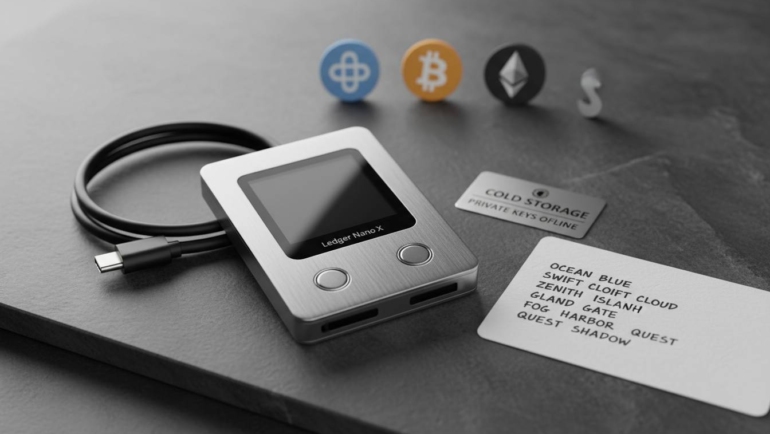
The Ledger Nano X represents the flagship offering from Ledger, a French company that has sold over 6 million devices since its founding in 2014. This device features a sleek stainless steel and plastic design with a built-in rechargeable battery and Bluetooth connectivity, allowing you to manage your Bitcoin from a mobile device.
Security architecture: The Nano X uses a secure element (ST33J2M0) certified at EAL5+—the same security level used in credit cards and passports. Your private keys never leave this chip. The device requires PIN code entry and supports a 24-word recovery seed phrase that you write down and store separately.
Beginner advantages: Ledger’s companion app, Ledger Live, provides step-by-step guidance for initial setup. The interface walks you through creating your wallet, writing down your recovery phrase, and installing the Bitcoin app. Bluetooth connectivity means you can sign transactions from your phone without plugging in cables—useful if you’re managing Bitcoin on the go.
Considerations: The Bluetooth feature, while convenient, has drawn scrutiny from security purists who prefer no wireless connectivity whatsoever. However, Ledger has addressed these concerns by implementing encryption and requiring physical button confirmation for all transactions. The Nano X costs $149, making it a mid-range option.
Trezor Model One
The Trezor Model One, produced by SatoshiLabs in the Czech Republic, holds the distinction of being the world’s first hardware wallet. Launched in 2013, Trezor pioneered the concept of dedicated cryptocurrency security devices. The Model One remains popular in 2024 due to its open-source architecture and competitive price.
Security architecture: Unlike Ledger, Trezor uses a general-purpose microcontroller rather than a secure element. However, the device implements additional software-based protections and remains highly secure for most threat models. The Model One requires a PIN and displays recovery words directly on its screen, eliminating the need to trust your computer’s display.
Beginner advantages: Trezor Suite, the companion software, offers an intuitive interface available in 15 languages. The setup process takes approximately 15 minutes and includes clear prompts for backing up your recovery seed. Perhaps most importantly, Trezor’s software is entirely open-source, meaning security researchers can audit the code for vulnerabilities.
Considerations: The Model One connects via USB only—no Bluetooth or mobile app support. This limits convenience but arguably improves security by eliminating wireless attack vectors. The device costs $69, making it the most affordable option among major brands.
Trezor Model T
If the Model One feels too basic, the Trezor Model T offers enhanced features while maintaining the same open-source philosophy. The flagship Trezor device includes a full-color touchscreen, microSD card slot for encrypted backups, and support for over 1,000 cryptocurrencies beyond Bitcoin.
Security architecture: The Model T maintains the software-based security model of its sibling but adds a touchscreen for improved input verification. You can confirm wallet addresses directly on the device screen, protecting against malware that might alter addresses on your computer before transaction signing.
Beginner advantages: The touchscreen dramatically improves the user experience for beginners who might struggle with the two-button navigation on the Model One. Setting up the recovery backup becomes more intuitive when you can tap words directly on the device rather than scrolling through lists.
Considerations: At $239, the Model T is the most expensive mainstream hardware wallet. For Bitcoin-only users, many features go unused. However, if you plan to accumulate various cryptocurrencies or want the best possible user experience, the investment may be justified.
Coldcard Mk4
The Coldcard Mk4, produced by Coinkite in Canada, takes a radically different approach designed specifically for Bitcoin maximalists who prioritize security above all else. This device is explicitly Bitcoin-only—no altcoin support—which actually simplifies the user experience for beginners focusing on Bitcoin.
Security architecture: Coldcard includes a secure element and implements “brick mode,” a feature that permanently disables the device if someone attempts to physically tamper with it. The Mk4 can operate entirely offline, generating unsigned transactions on an air-gapped computer and signing them by loading the transaction file via microSD card.
Beginner advantages: Despite its advanced features, Coldcard includes an easy mode that hides technical complexities. The included quick start guide covers setup in straightforward language. For beginners serious about Bitcoin security, Coldcard offers exceptional value.
Considerations: The user interface assumes more technical knowledge than Ledger or Trezor. Beginners comfortable with technology will adapt quickly, but those seeking the absolute simplest experience might find the learning curve steeper. The Mk4 costs $159.
Features Every Beginner Should Evaluate
Choosing a hardware wallet involves weighing several factors beyond brand reputation. Understanding these features helps you make an informed decision aligned with your specific needs.
Recovery seed backup: Every hardware wallet generates a 12 or 24-word phrase during setup. This phrase represents your private keys in human-readable form. Critically, this seed phrase works across compatible wallets—if your device breaks, you can recover your Bitcoin using the seed in any standard wallet. Store this phrase somewhere safe, preferably in multiple locations. Never store it digitally or take photos of it.
Open-source verification: Wallets like Trezor and Coldcard publish their firmware code for public inspection. This allows security researchers to identify vulnerabilities and ensures the manufacturer hasn’t included malicious code. Ledger uses closed-source firmware on its secure element, though the overall system has undergone extensive third-party audits.
Supported assets: While Bitcoin is your focus now, you might want Ethereum, Litecoin, or other assets later. Ledger and Trezor support broad cryptocurrency ranges, while Coldcard focuses exclusively on Bitcoin. Consider your future needs.
Connection method: USB-only wallets like Trezor Model One eliminate wireless attack surfaces. Bluetooth-enabled devices like Ledger Nano X offer mobile convenience but introduce additional considerations. Neither is inherently wrong—it depends on your threat model and usage preferences.
Third-party software compatibility: Hardware wallets work with various software interfaces beyond the manufacturer’s app. Electrum and Sparrow for desktop, BlueWallet and Nunchuck for mobile—all integrate with hardware wallets. This flexibility matters if you have specific software preferences.
Security Comparison: What Actually Protects Your Bitcoin
Understanding what makes hardware wallets secure helps you evaluate marketing claims critically. The core protection comes from keeping private keys isolated within dedicated hardware.
| Feature | Ledger Nano X | Trezor Model One | Trezor Model T | Coldcard Mk4 |
|---|---|---|---|---|
| Secure Element | Yes (EAL5+) | No | No | Yes |
| Open Source | Partial | Yes | Yes | Yes |
| Screen for Verification | Limited | Yes | Full Touch | Yes |
| Air-Gap Support | No | No | No | Yes |
| PIN Protection | Yes | Yes | Yes | Yes |
| Recovery Phrase | 24 words | 24 words | 24 words | 24 words |
The secure element in Ledger and Coldcard provides hardware-level protection against physical attacks, while Trezor’s open-source approach enables community verification. Both approaches have merits—the best choice depends on your specific threat model.
Beyond the hardware itself, operational security matters enormously. Your Bitcoin is only as secure as your recovery phrase storage. Writing the phrase on paper and storing it in a safe deposit box, or using a metal backup solution like Cryptosteel, provides protection against fire and water damage. Multiple geographic locations protect against theft or natural disaster at a single location.
Cost Analysis: Investing in Security
Hardware wallet prices range from $69 to $239, representing a small fraction of most beginners’ Bitcoin holdings. The math is straightforward: if you’re holding $1,000 or more in Bitcoin, a hardware wallet costs less than 7% of your holdings—and it protects 100% of your funds.
Consider the alternative costs. Without cold storage, you rely on exchange security. Exchange hacks continue occurring despite improvements in cybersecurity. The average exchange breach results in losses exceeding $100 million. Your hardware wallet eliminates this counterparty risk entirely.
Most manufacturers offer bundle deals including the device, recovery phrase backup tools, and sometimes even a small amount of cryptocurrency to get started. These packages provide everything a beginner needs for under $200.
How to Set Up Your First Cold Wallet
Setting up a hardware wallet involves several critical steps that you should complete carefully the first time. The process typically takes 30-45 minutes including reading time.
Step 1: Purchase from official sources only. Buy directly from the manufacturer or authorized resellers. Avoid third-party sellers on auction sites, as devices can be tampered with before reaching you. Ledger, Trezor, and Coldcard all sell through their official websites.
Step 2: Prepare a clean environment. Use a computer without malware if possible. Update your operating system and ensure you have the companion software downloaded from the official website—double-check the URL before downloading.
Step 3: Initialize the device. Power on your hardware wallet and follow the on-screen prompts. Create a PIN code that you’ll remember but isn’t easily guessable. Avoid obvious numbers like 1234 or your birth year.
Step 4: Write down your recovery seed. The device will display 12 or 24 words. Write each word in order on the provided recovery card or your own paper. Double-check every word—the order matters critically. Many errors occur when people write down words but get the sequence wrong.
Step 5: Verify your backup. Most devices include a verification step where you’ll be asked to confirm a few words from your seed. Complete this—it’s not optional.
Step 6: Configure the device. Install the Bitcoin app through the companion software. Create or import your wallet. For maximum security, generate a new wallet rather than importing an existing one.
Step 7: Test with a small amount. Before transferring your full Bitcoin holdings, send a small test transaction. This verifies everything works correctly without risking your entire portfolio.
Frequently Asked Questions
Q: Do I really need a hardware wallet if I only hold a small amount of Bitcoin?
A: Yes, proportionally. Whether you hold $100 or $100,000, the same security principles apply. If your Bitcoin has any value to you, protecting it from exchange hacks, insolvencies, and theft warrants a hardware wallet. The cost is fixed—you get the same security regardless of how much Bitcoin you store.
Q: What happens if my hardware wallet breaks or gets lost?
A: Your Bitcoin isn’t in the device—it’s on the blockchain. The device simply holds the keys to access it. Using your 24-word recovery phrase, you can restore your wallet on any compatible hardware or software wallet. This is why storing your recovery phrase securely is absolutely essential.
Q: Can someone steal my Bitcoin if they get physical access to my hardware wallet?
A: Not without your PIN code. Modern hardware wallets lock after several failed PIN attempts, and the secure element prevents extraction of private keys through physical attacks. However, you should still use a strong PIN and keep your device secure. Additionally, if someone obtains both your device AND your recovery phrase, they can access your funds—which is why these should be stored separately.
Q: Are hardware wallets waterproof or damage-resistant?
A: Standard hardware wallets are not waterproof. They should be stored in a dry, temperature-controlled environment. Some users purchase protective cases for travel, but these are optional. The recovery phrase—NOT the device—is your true backup. As long as your recovery phrase is safely stored, a damaged device is merely an inconvenience requiring replacement.
Q: Can I use my hardware wallet with multiple computers or phones?
A: Yes. Hardware wallets work with multiple devices by plugging in or connecting via Bluetooth. The private keys never leave the device, so using it with different computers doesn’t create security risks. However, you should always verify transactions on the device’s screen regardless of which computer you’re using.
Q: How often should I update my hardware wallet firmware?
A: Update whenever the manufacturer releases a new version. These updates often include security patches. Before updating, ensure you have your recovery phrase backed up—firmware updates occasionally reset the device, requiring a restore from seed. The manufacturer’s instructions will specify whether an update requires a full reset.
Conclusion: Securing Your Bitcoin Future
Choosing the right cold storage wallet is one of the most consequential decisions for any Bitcoin holder. The good news is that all major hardware wallet brands provide excellent security when used correctly. Your specific choice comes down to personal priorities: budget, desired features, and preferred user experience.
For most beginners, the Trezor Model One offers the best combination of price, security, and ease of use. Its open-source architecture provides transparency, the companion software is beginner-friendly, and at $69, it represents excellent value. If you prefer mobile convenience and are comfortable with Bluetooth, the Ledger Nano X delivers a premium experience at a higher price point. Bitcoin maximalists who want air-gapped transaction signing should consider the Coldcard Mk4.
Regardless of which device you choose, the most critical step is properly backing up your recovery phrase. No hardware wallet protects you if you lose your recovery words. Store them securely, preferably in multiple locations, and never share them with anyone.
Cold storage represents a fundamental shift in how you relate to your Bitcoin. You’re no longer relying on third parties—you’re becoming your own bank. This brings responsibility but also genuine ownership and peace of mind. Start with a quality hardware wallet, follow the setup instructions carefully, and rest easy knowing your Bitcoin is protected by the same cryptographic principles that secure the entire network.